Figure Series

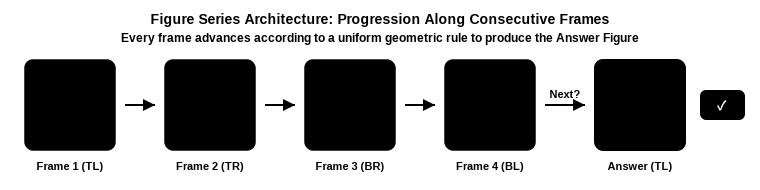
Figure series is a core chapter in non-verbal reasoning where a sequence of problem figures follows a specific, logical, or mathematical progression, and you must determine the next figure that continues the sequence or replaces a question mark.

Figure Series Architecture: Progression Along Consecutive Frames

1. Fundamentals of Figure Series

In a figure series question, you are given a set of 3 to 5 problem frames placed in a row. Every frame contains one or more geometric elements (lines, dots, arrows, polygons, or symbols) that change from one frame to the next according to one or more strict rules.

Core Concepts Every Beginner Must Master

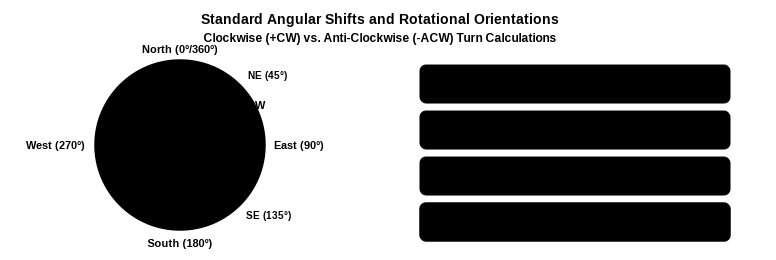
Direction and Angles of Rotation

Rotation refers to how an object turns around its own center or around the center of the bounding box.

  • Clockwise (CW): Turning in the direction of the hands of a clock (12 to 3 to 6 to 9).
  • Anti-Clockwise / Counter-Clockwise (ACW): Turning opposite to clock hands (12 to 9 to 6 to 3).
  • Key Angles:
    • 45 degrees: One-eighth of a full turn (pointing North to North-East).
    • 90 degrees: One-quarter turn (pointing North to East).
    • 135 degrees: Three-eighths turn (pointing North to South-East).
    • 180 degrees: Half turn (pointing North to South / upside down).
    • Rotations can be constant (e.g., +45 degrees in every step) or progressive (+45 degrees, then +90 degrees, then +135 degrees).
Standard Angular Shifts and Rotational Orientations

Movement Inside the Bounding Frame

Most figures are enclosed in a square frame. Elements travel between specific positions:

  • The 4 Corners: Top-Left (TL), Top-Right (TR), Bottom-Right (BR), Bottom-Left (BL).
  • The 4 Side Midpoints: Top-Center (TC), Right-Center (RC), Bottom-Center (BC), Left-Center (LC).
  • The Center: The middle point of the box.
  • Step Sizes:
    • Moving from a corner to an adjacent side midpoint is 0.5 step (half step).
    • Moving from one corner to the adjacent corner is 1 full step.
    • Moving along diagonals (e.g., Top-Left to Center to Bottom-Right).
Bounding Box Topography: 9 Key Geometric Positions

Quantitative Changes (Count of Elements)

  • Elements or line segments can increase in number (+1, +2, +3) or decrease (-1, -2, -3).
  • Numbers can follow standard number series rules: even numbers (2, 4, 6), odd numbers (1, 3, 5), prime numbers (2, 3, 5, 7), or alternating addition/subtraction (+2, -1, +2, -1).

Inversion and Reflection

  • Vertical Inversion (Water Image): The top and bottom flip, while left and right stay the same.
  • Horizontal Inversion (Mirror Image): The left and right flip, while top and bottom stay the same.

Shading and Filling

  • Figures alternate between open (unshaded) and solid (shaded black).
  • In multi-part figures (like a circle cut into quarters), the shaded region moves by a fixed step (e.g., 1 quadrant CW in each step).

Introduction of New Elements (Replacement)

  • An existing symbol leaves the frame completely, and a brand-new symbol enters at a designated position.

The 4-Step Method to Solve Any Figure Series

  1. Isolate One Element: Never try to look at the entire picture at once. Pick just one single symbol or line.
  2. Identify Its Rule: Check how that single element moves (Did it rotate 90 degrees? Did it move 1 step CW?).
  3. Eliminate Options: Look at the given answer choices and cross out every option that does not place that first element correctly.
  4. Track a Second Element: If two options remain, pick a second element and trace its pattern to lock in the final answer.
The 4-Step Method to Solve Any Figure Series

2. The 5 Main Types of Figure Series

Type 1: Rotational Series

In this type, the primary pattern is the rotation of the main shape or individual components inside the frame by a fixed or changing degree in a clockwise or anti-clockwise direction.

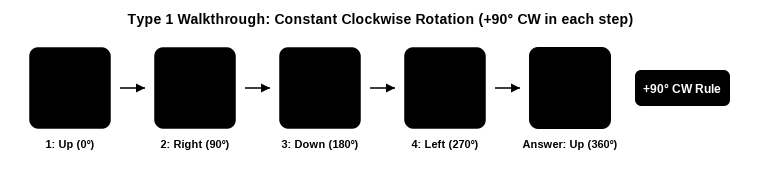
Type 1 Walkthrough: Constant Clockwise Rotation (+90° CW in each step)
Example 1.1: Constant Clockwise Rotation
Example 1.1: Constant Clockwise Rotation — five-frame SVG sequence
• Figure 1: An arrow points straight Up (North / 0 degrees).
• Figure 2: The arrow points Right (East / 90 degrees).
• Figure 3: The arrow points Down (South / 180 degrees).
• Figure 4: The arrow points Left (West / 270 degrees).
• Answer Figure: The arrow points straight Up (North / 360 degrees).
Rule: The arrow turns 90 degrees clockwise in every step.
Example 1.2: Increasing Angle of Rotation
Example 1.2: Increasing Angle of Rotation — five-frame SVG sequence
• Figure 1: A pointer line stands vertically pointing North (0 degrees).
• Figure 2: The pointer turns 45 degrees CW, pointing North-East.
• Figure 3: The pointer turns 90 degrees CW from its position, pointing South-East.
• Figure 4: The pointer turns 135 degrees CW from South-East, pointing West (270°).
• Answer Figure: The pointer turns 180 degrees CW from West, pointing East (90°).
Rule: Successive clockwise rotations increase by 45 degrees (+45 degrees, +90 degrees, +135 degrees, +180 degrees).
Example 1.3: Opposite Rotations of Two Elements
Example 1.3: Opposite Rotations of Two Elements — five-frame SVG sequence
• Figure 1: An arrow at the center points Up; a black dot is at the bottom edge.
• Figure 2: The arrow turns 45 degrees CW (North-East); the dot moves 45 degrees ACW along the circle (Bottom-Right).
• Figure 3: The arrow turns 45 degrees CW (East); the dot moves 45 degrees ACW (Right-Center).
• Figure 4: The arrow turns 45 degrees CW (South-East); the dot moves 45 degrees ACW (Top-Right).
• Answer Figure: The arrow points South (180 degrees); the dot sits at the Top-Center.
Rule: Arrow rotates 45 degrees clockwise; dot rotates 45 degrees anti-clockwise in every frame.
Example 1.4: Alternating Angle Rotation
Example 1.4: Alternating Angle Rotation — five-frame SVG sequence
• Figure 1: A triangle points straight Up (0 degrees).
• Figure 2: It rotates 90 degrees CW, pointing Right (90 degrees).
• Figure 3: It rotates 45 degrees ACW, pointing North-East (45 degrees).
• Figure 4: It rotates 90 degrees CW, pointing South-East (135 degrees).
• Answer Figure: It rotates 45 degrees ACW, pointing East (90 degrees).
Rule: The pattern alternates between +90 degrees clockwise and -45 degrees anti-clockwise.
Example 1.5: Non-Uniform Progressive Rotation
Example 1.5: Non-Uniform Progressive Rotation — five-frame SVG sequence
• Figure 1: A clock hand points at 12 o'clock.
• Figure 2: It advances 1 hour CW to 1 o'clock (a turn of 30 degrees).
• Figure 3: It advances 2 hours CW to 3 o'clock (a turn of 60 degrees).
• Figure 4: It advances 3 hours CW to 6 o'clock (a turn of 90 degrees).
• Answer Figure: It advances 4 hours CW to 10 o'clock (a turn of 120 degrees).
Rule: The rotation step increases by +1 hour (+30 degrees) in each successive transition (+1 hr, +2 hrs, +3 hrs, +4 hrs).

Type 2: Positional Shift / Step Movement Series

Elements keep their shape but move physically between corners, edge midpoints, and the center of the frame.

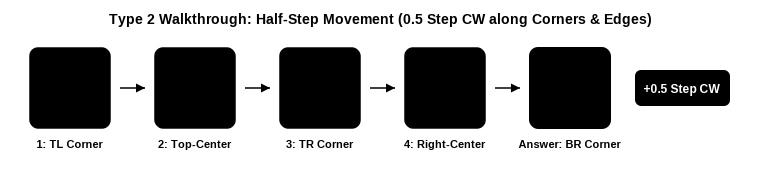
Type 2 Walkthrough: Half-Step Movement (0.5 Step CW along Corners & Edges)
Example 2.1: Simple Corner-to-Corner Shift
Example 2.1: Simple Corner-to-Corner Shift — five-frame SVG sequence
• Figure 1: A black square is located at the Top-Left corner.
• Figure 2: It moves to the Top-Right corner.
• Figure 3: It moves to the Bottom-Right corner.
• Figure 4: It moves to the Bottom-Left corner.
• Answer Figure: It returns to the Top-Left corner.
Rule: The square moves 1 full step (adjacent corner) clockwise along the perimeter of the box in every frame.
Example 2.2: Half-Step (Corner-to-Side) Movement
Example 2.2: Half-Step (Corner-to-Side) Movement — five-frame SVG sequence
• Figure 1: A star is at the Top-Left corner.
• Figure 2: The star moves to the Top-Center edge.
• Figure 3: The star moves to the Top-Right corner.
• Figure 4: The star moves to the Right-Center edge.
• Answer Figure: The star moves to the Bottom-Right corner.
Rule: The element moves 0.5 step clockwise along the edge/corners in each successive transition.
Example 2.3: Progressive Step Movement
Example 2.3: Progressive Step Movement — five-frame SVG sequence

In a 4-corner frame (Top-Left = 1, Top-Right = 2, Bottom-Right = 3, Bottom-Left = 4):

• Figure 1: A circle is at Corner 1 (Top-Left).
• Figure 2: Moves 1 corner CW to Corner 2 (Top-Right).
• Figure 3: Moves 2 corners CW to Corner 4 (Bottom-Left).
• Figure 4: Moves 3 corners CW to Corner 3 (Bottom-Right).
• Answer Figure: Moves 4 corners CW to Corner 3 (Bottom-Right).
Rule: The number of corners shifted clockwise increases by 1 each time (+1, +2, +3, +4).
Example 2.4: Diagonal and Center Shift
Example 2.4: Diagonal and Center Shift — five-frame SVG sequence
• Figure 1: A plus sign is at the Top-Left corner.
• Figure 2: It shifts diagonally to the exact Center.
• Figure 3: It continues diagonally to the Bottom-Right corner.
• Figure 4: It shifts horizontally to the Bottom-Left corner.
• Answer Figure: It shifts diagonally to the exact Center (heading toward Top-Right).
Rule: The element traces diagonal paths through the center: Top-Left to Center to Bottom-Right, then Bottom-Left to Center to Top-Right.
Example 2.5: Two Independent Moving Tracks
Example 2.5: Two Independent Moving Tracks — five-frame SVG sequence
• Figure 1: A triangle is at Top-Left; a dot is at Bottom-Right.
• Figure 2: Triangle moves 1 step CW to Top-Right; dot moves 1 step ACW to Top-Right (both overlap).
• Figure 3: Triangle moves 1 step CW to Bottom-Right; dot moves 1 step ACW to Top-Left.
• Figure 4: Triangle moves 1 step CW to Bottom-Left; dot moves 1 step ACW to Bottom-Left (both overlap).
• Answer Figure: Triangle moves 1 step CW to Top-Left; dot moves 1 step ACW to Bottom-Right.
Rule: Triangle moves 1 corner clockwise per step; dot moves 1 corner anti-clockwise per step.

Type 3: Quantitative / Numerical Change Series

The series depends on counting the number of sides, lines, dots, or symbols that increase or decrease systematically.

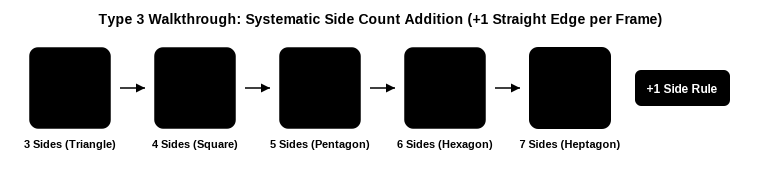
Type 3 Walkthrough: Systematic Side Count Addition (+1 Straight Edge per Frame)
Example 3.1: Side Count of a Polygon (+1 Side)
Example 3.1: Side Count of a Polygon (+1 Side) — five-frame SVG sequence
• Figure 1: A triangle (3 straight sides).
• Figure 2: A square (4 straight sides).
• Figure 3: A regular pentagon (5 straight sides).
• Figure 4: A regular hexagon (6 straight sides).
• Answer Figure: A regular heptagon (7 straight sides).
Rule: The outer boundary gains 1 straight side (+1 edge) in every frame.
Example 3.2: Progressive Addition of Line Segments
Example 3.2: Progressive Addition of Line Segments — five-frame SVG sequence
• Figure 1: A single vertical line segment (|).
• Figure 2: Two segments joined at right angles forming an 'L' shape.
• Figure 3: Three segments forming an open box / 'U' shape.
• Figure 4: Four segments forming a closed square.
• Answer Figure: A closed square with one diagonal line added inside (5 total segments).
Rule: Exactly one line segment is added in each step.
Example 3.3: Simultaneous Addition and Deletion
Example 3.3: Simultaneous Addition and Deletion — five-frame SVG sequence
• Figure 1: 5 black dots inside a box, 1 external line attached outside.
• Figure 2: 4 black dots inside, 2 external lines attached outside.
• Figure 3: 3 black dots inside, 3 external lines attached outside.
• Figure 4: 2 black dots inside, 4 external lines attached outside.
• Answer Figure: 1 black dot inside, 5 external lines attached outside.
Rule: Internal dots decrease by 1 (-1), while external lines increase by 1 (+1).
Example 3.4: Alternating Addition (+1, +2, +1, +2)
Example 3.4: Alternating Addition (+1, +2, +1, +2) — five-frame SVG sequence
• Figure 1: 2 small circles.
• Figure 2: 3 small circles (+1 added).
• Figure 3: 5 small circles (+2 added).
• Figure 4: 6 small circles (+1 added).
• Answer Figure: 8 small circles (+2 added).
Rule: Number of elements increases alternately by +1 and +2.
Example 3.5: Sequential Edge Subtraction
Example 3.5: Sequential Edge Subtraction — five-frame SVG sequence
• Figure 1: A complete hexagon with all 6 outer sides present.
• Figure 2: The top horizontal edge is removed (5 sides remaining).
• Figure 3: The top-right edge is also removed (4 sides remaining).
• Figure 4: The bottom-right edge is also removed (3 sides remaining).
• Answer Figure: The bottom horizontal edge is also removed (2 sides remaining: bottom-left and top-left edges).
Rule: One side is erased in each step in clockwise sequential order.

Type 4: Shading and Inversion Series

In this category, elements flip vertically or horizontally, or shade patterns travel cyclically across different partitions.

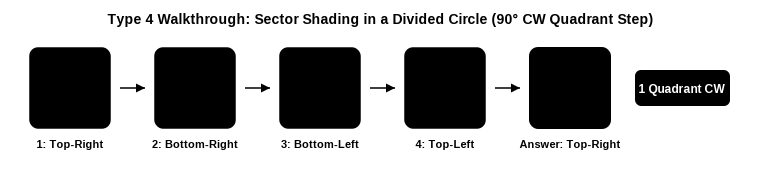
Type 4 Walkthrough: Sector Shading in a Divided Circle (90° CW Quadrant Step)
Example 4.1: Alternate Vertical Inversion
Example 4.1: Alternate Vertical Inversion — five-frame SVG sequence
• Figure 1: An arrow stands upright pointing North.
• Figure 2: The arrow flips upside down pointing South (water image).
• Figure 3: The arrow flips upright pointing North.
• Figure 4: The arrow flips upside down pointing South.
• Answer Figure: The arrow stands upright pointing North.
Rule: Vertical flip (180 degrees vertical reflection) occurs on every alternate step.
Example 4.2: Sector Shading in a Divided Circle
Example 4.2: Sector Shading in a Divided Circle — five-frame SVG sequence

A circle is divided into 4 equal quadrants (Top-Right, Bottom-Right, Bottom-Left, Top-Left):

• Figure 1: Top-Right quadrant is shaded black; other 3 are white.
• Figure 2: Bottom-Right quadrant is shaded black; other 3 are white.
• Figure 3: Bottom-Left quadrant is shaded black; other 3 are white.
• Figure 4: Top-Left quadrant is shaded black; other 3 are white.
• Answer Figure: Top-Right quadrant is shaded black; other 3 are white.
Rule: The shaded partition rotates 90 degrees clockwise (shifts 1 quadrant CW) in each frame.
Example 4.3: Cumulative Fill Pattern
Example 4.3: Cumulative Fill Pattern — five-frame SVG sequence

A long horizontal bar is divided into 4 equal vertical blocks (1, 2, 3, 4 from left to right):

• Figure 1: Block 1 is shaded; Blocks 2, 3, 4 are white.
• Figure 2: Blocks 1 and 2 are shaded; Blocks 3 and 4 are white.
• Figure 3: Blocks 1, 2, and 3 are shaded; Block 4 is white.
• Figure 4: All 4 blocks are fully shaded black.
• Answer Figure: Block 1 becomes white; Blocks 2, 3, and 4 remain shaded.
Rule: Blocks are filled one by one from left to right (+1 shaded block), followed by progressive un-shading from left to right.
Example 4.4: Horizontal Flip with Shading Toggle
Example 4.4: Horizontal Flip with Shading Toggle — five-frame SVG sequence
• Figure 1: The letter 'P' faces normally to the right; its circular loop is unshaded (white).
• Figure 2: The letter 'P' is flipped horizontally (mirror image facing left); its circular loop is shaded solid black.
• Figure 3: The letter 'P' faces normally to the right; its circular loop is unshaded.
• Figure 4: The letter 'P' is flipped horizontally; its circular loop is shaded solid black.
• Answer Figure: The letter 'P' faces normally to the right; its circular loop is unshaded (white).
Rule: Flips horizontally at every step while shading alternates between unshaded and shaded.
Example 4.5: Opposing Shading and Pointer Inversion
Example 4.5: Opposing Shading and Pointer Inversion — five-frame SVG sequence
• Figure 1: The top half of a square is shaded black; an arrow at the bottom edge points Right.
• Figure 2: The bottom half of the square is shaded black; an arrow at the top edge points Left.
• Figure 3: The top half of the square is shaded black; an arrow at the bottom edge points Right.
• Figure 4: The bottom half of the square is shaded black; an arrow at the top edge points Left.
• Answer Figure: The top half of the square is shaded black; an arrow at the bottom edge points Right.
Rule: Shaded half alternates between Top and Bottom; the arrow switches edges (Bottom/Top) and flips direction (Right/Left).

Type 5: Substitution and Replacement Series

Old symbols move along a defined track, but in each step, an existing symbol disappears from the frame and is replaced by an entirely new symbol.

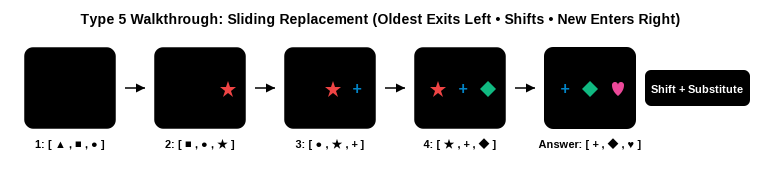
Type 5 Walkthrough: Sliding Replacement (Oldest Exits Left • Shifts • New Enters Right)
Example 5.1: Exit at Corner and Entry at Center
Example 5.1: Exit at Corner and Entry at Center — five-frame SVG sequence

Inside a frame with 4 corners and 1 center slot:

• Figure 1: Circle at Center; Square, Triangle, Cross, Dot at the 4 corners.
• Figure 2: Circle moves to Top-Left; other corners shift 1 corner CW; the Dot at Bottom-Left disappears; a brand-new symbol (Star) enters the Center.
• Figure 3: Star moves to Top-Left; other symbols shift 1 corner CW; the oldest corner symbol leaves; a brand-new symbol (Diamond) enters the Center.
• Figure 4: Diamond moves to Top-Left; symbols shift 1 corner CW; the oldest corner symbol leaves; a brand-new symbol (Heart) enters the Center.
• Answer Figure: Heart moves to Top-Left; other symbols shift 1 corner CW; the symbol reaching Bottom-Left is deleted; a brand-new symbol (such as an Arrow) appears at the Center.
Rule: Corner elements rotate clockwise; the element at Bottom-Left exits; and a new element is introduced at the center.
Example 5.2: Sliding Replacement in a Row
Example 5.2: Sliding Replacement in a Row — five-frame SVG sequence

Frame contains 3 horizontal slots: Position 1 (Left), Position 2 (Middle), Position 3 (Right).

• Figure 1: [Triangle, Square, Circle]
• Figure 2: [Square, Circle, Star] (Triangle exits; remaining two shift left by 1 slot; Star enters at Position 3).
• Figure 3: [Circle, Star, Plus] (Square exits; remaining two shift left; Plus enters at Position 3).
• Figure 4: [Star, Plus, Diamond] (Circle exits; remaining two shift left; Diamond enters at Position 3).
• Answer Figure: [Plus, Diamond, Heart] (Star exits; Plus and Diamond shift left; a new symbol Heart enters at Position 3).
Rule: Leftmost element is removed, the other two shift left by 1 place, and a brand-new element enters at the rightmost position.
Example 5.3: Alternating Swap and Substitution
Example 5.3: Alternating Swap and Substitution — five-frame SVG sequence

Frame contains 3 shapes: Shape A, Shape B, and Shape C.

• Figure 1: Circle at Left, Square at Center, Triangle at Right.
• Figure 2: Square at Left, Circle at Center, Triangle at Right (Left and Center shapes swap places; Right stays unchanged).
• Figure 3: Square at Left, Circle at Center, Hexagon at Right (Triangle is replaced by a brand-new shape Hexagon; Left and Center stay unchanged).
• Figure 4: Circle at Left, Square at Center, Hexagon at Right (Left and Center shapes swap places again).
• Answer Figure: Circle at Left, Square at Center, Star at Right (Hexagon is replaced by a brand-new shape Star; Left and Center stay unchanged).
Rule: Transitions alternate: Step 1-to-2 and 3-to-4 swap positions of the first two shapes; Step 2-to-3 and 4-to-5 replace the third shape with a new one.
Example 5.4: Sequential Perimeter Replacement
Example 5.4: Sequential Perimeter Replacement — five-frame SVG sequence

4 corners of a square: Top-Left (TL), Top-Right (TR), Bottom-Right (BR), Bottom-Left (BL).

• Figure 1: TL has a Circle, TR has a Square, BR has a Triangle, BL has a Plus.
• Figure 2: TL is replaced by a Star; TR, BR, BL remain unchanged.
• Figure 3: TR is replaced by a Dot; TL (Star), BR, BL remain unchanged.
• Figure 4: BR is replaced by a Cross; TL (Star), TR (Dot), BL remain unchanged.
• Answer Figure: BL is replaced by a Heart; TL (Star), TR (Dot), BR (Cross) remain unchanged.
Rule: Exactly one corner is replaced by a new symbol in clockwise order (TL, then TR, then BR, then BL).
Example 5.5: Central Displacement with Outer Replacement
Example 5.5: Central Displacement with Outer Replacement — five-frame SVG sequence
• Figure 1: Symbol X is at the Center; three symbols (A, B, C) occupy three corners; 1 corner is empty.
• Figure 2: Symbol X moves into the empty corner; a new symbol Y appears at the Center; A, B, C remain in place.
• Figure 3: Corner symbol A disappears; Central symbol Y moves into A's corner; a new symbol Z appears at the Center.
• Figure 4: Corner symbol B disappears; Central symbol Z moves into B's corner; a new symbol W appears at the Center.
• Answer Figure: Corner symbol C disappears; Central symbol W moves into C's corner; a brand-new symbol enters the Center.
Rule: The symbol at the center leaves to displace an outer corner symbol, while a brand-new symbol takes birth at the center.

Ready to Test Your Speed?

Put your figure series identification skills, rotation calculations, and elimination speed to the test with real exam drills.